
To generate your Certificate Facsimile, please enter your name on the Certificate Information page in your profile:
- Click 'My Account' at the bottom of the blue profile box on the right of the screen.
- Select 'Certificate Information'.
- Click the Edit link above the instructions.
- Follow the instructions to enter your formal name.
- Click SAVE at the bottom of this screen.
After your formal name is entered, you can return to this page to generate your Certificate Facsimile.
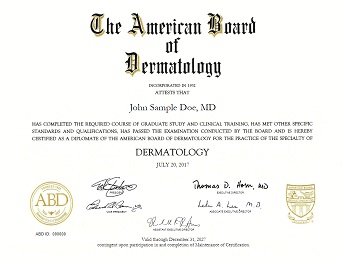
To assist actively certified Diplomates in need of certification verification for credentialing or employment purposes, the ABD provides a tool to generate a certificate facsimile.
This certificate facsimile is not intended to replace the formal, wall-sized certificate furnished by the ABD after passing a certification examination or completing a Continuing Certification cycle
Click the link below to generate and download a copy of your ABD certificate(s).
Click HERE to print a flyer to distribute in your office to educate patients about what it means to choose a board certified dermatologist.
